
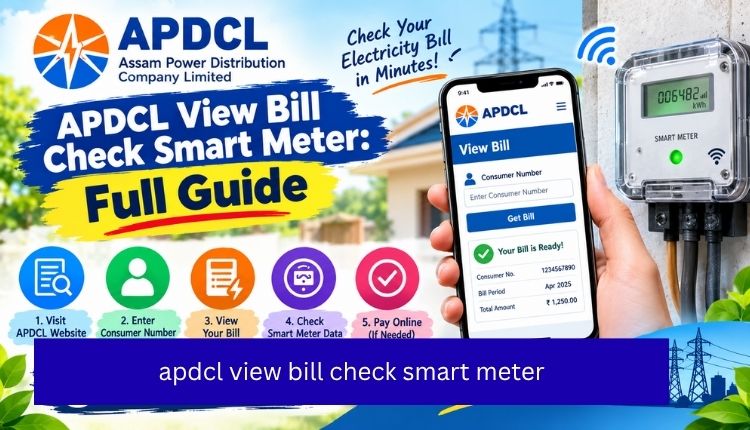
apdcl view bill check smart meter
If you’ve switched to a smart meter connection with Assam Power Distribution Company Limited, checking your bill works a little differently than it does for a regular postpaid meter. You’re not just looking at a monthly invoice anymore.
You’re watching a balance that moves in near real time, and you need to know where to look for both the bill history and the live consumption data. This guide covers exactly how to do the APDCL view bill check smart meter process, step by step, along with the difference between checking a bill and checking a live balance.
Quick Overview: Smart Meter Bill Check Options
| Task | Where to Do It | What You’ll Need |
| View current bill | APDCL bill check page | 11-digit consumer number |
| Check smart meter balance | myBijulee app or APDCL Vidyut app | Consumer number or smart meter ID |
| Download bill receipt | APDCL view bill receipt page | Consumer number |
| Recharge prepaid smart meter | Prepaid recharge guide | Consumer number and recharge amount |
| View bill history | APDCL bill view page | Consumer number, registered mobile |
What Is an APDCL Smart Meter, Really
A smart meter is an electronic meter that records your electricity use and sends that data back to APDCL automatically, without anyone climbing onto a ladder to read a dial once a month. Older meters wait for a human to note down the reading. Smart meters push the numbers through a network connection, usually every few minutes, and that’s what makes real-time balance tracking possible in the first place.
For most residential users in Assam, this shows up in one of two ways: a postpaid smart meter, which still generates a monthly bill like before, or a prepaid smart meter, where you top up a balance and electricity is deducted as you use it. The bill-check process is slightly different depending on which one you have, so it’s worth knowing which category you fall into before you start.
How to View and Check Your APDCL Bill Online (Postpaid Smart Meter)
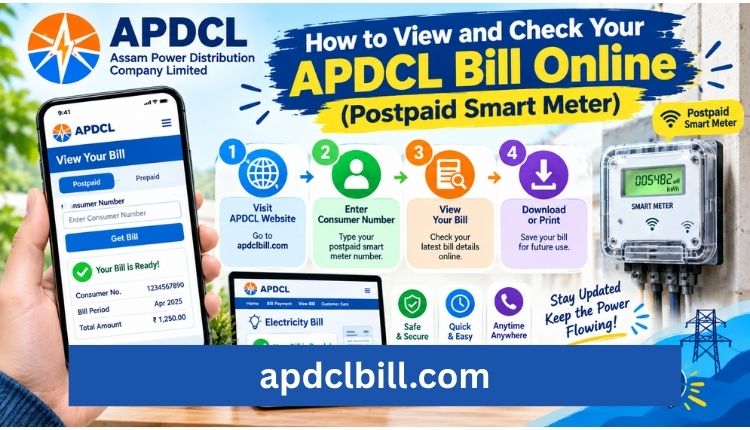
If your smart meter is postpaid, the bill still arrives monthly, and checking it online takes about a minute.
- Open the APDCL bill check tool on this site.
- Type in your 11-digit consumer account number. You’ll find this on any earlier bill, usually near the top.
- Submit the form. Your latest bill, including units consumed, billing period, and amount due, loads on screen.
- If you want a copy, use the bill download option right after the bill loads.
A smart meter bill will usually show more granular consumption data than an older analog bill did, sometimes broken down by time slots. That’s the meter’s main advantage: you can actually see when you’re using the most power, not just how much.
How to Check Your Smart Meter Balance (Prepaid)
This is the part that trips people up, because a prepaid smart meter doesn’t work like a monthly bill at all. There’s no invoice waiting for you at the end of the month. Instead, you’re watching a running balance that drops as you consume electricity, similar to a mobile recharge.
To check that balance:
- Open the myBijulee app (Android or iOS) or the APDCL Vidyut app, both of which are built for prepaid and smart meter consumers.
- Log in with your registered mobile number and consumer number.
- Head to the balance or smart meter section. You’ll see your current balance, recent consumption, and recharge history.
- If the balance is running low, recharge directly from the app or through the prepaid bill payment guide on this site.
You can also check balance and consumption through APDCL’s official prepaid portal, though the mobile apps tend to update faster and are less prone to the login hiccups people report with the browser version.
Postpaid vs. Prepaid Smart Meter: What Changes for Bill Checking
| Factor | Postpaid Smart Meter | Prepaid Smart Meter |
| Billing cycle | Monthly bill generated | No monthly bill; balance-based |
| Where to check | APDCL bill check page | myBijulee / APDCL Vidyut app |
| Payment trigger | Due date on the bill | Balance running low |
| Disconnection risk | After due date passes | When balance hits zero |
| Consumption view | Shown per billing cycle | Shown in near real time |
Why Your Consumer Number Might Not Work
The most common reason a bill check fails isn’t a system error. It’s usually a mismatch in the consumer number format. APDCL moved from an older 12-digit format to a newer 11-digit one, and some accounts still show both depending on when they were last updated in the system.
If your number isn’t pulling up a bill, check for stray spaces, confirm you’re using the newer format, and try the number exactly as printed on your most recent bill before assuming something’s actually broken.
Downloading Your Bill or Receipt for Records
Once your bill or receipt loads, you can save it as a PDF for loan applications, rental proof, or your own paper trail. The process is the same one used for the standard bill check:
- Go to the bill check tool and enter your consumer number.
- Choose the download or print option once your bill appears.
- For payment confirmations specifically, the view bill receipt page walks through pulling up past transaction records.
Keeping the last three or four months saved locally is a small habit that pays off if there’s ever a dispute over a reading or a payment that didn’t register properly.
Recharging a Prepaid Smart Meter
If your balance check shows you’re running low, recharging takes roughly the same steps as paying any other APDCL bill:
- Go to the prepaid recharge and payment guide.
- Enter your consumer number or smart meter ID.
- Choose a recharge amount, commonly ₹500 or ₹1,000 for a household connection.
- Pay through UPI, debit card, or net banking.
- The balance updates within a few minutes, and you’ll usually get an SMS confirming it.
For a broader look at all payment methods APDCL supports, the APDCL bill payment page covers UPI, card, wallet, and net banking options in more detail.
Frequently Asked Questions
How do I check my APDCL smart meter bill without an account login?
Enter your 11-digit consumer number on the bill check page. No login or app registration is required for a one-time bill lookup.
Is a smart meter bill different from a normal APDCL bill?
The billing amount is calculated the same way, but a smart meter bill usually shows more detailed consumption data, and prepaid smart meters skip the monthly invoice entirely in favor of a running balance.
Why doesn’t my smart meter balance match what I recharged?
A short delay between the payment gateway and the meter’s system is normal, and the balance usually syncs within a few minutes. If it still hasn’t updated after several hours, contact APDCL customer care with your transaction reference, .Visit more
Can I check my smart meter balance without the app?
Yes, through APDCL’s official prepaid balance portal, though the myBijulee or APDCL Vidyut apps tend to load faster and show a clearer consumption history.
What happens if my smart meter balance hits zero?
Your connection may be automatically disconnected until you recharge. Prepaid smart meters generally don’t carry over dues the way postpaid connections do, so keeping a buffer in your balance helps avoid an unexpected cutoff.
Do I need a new consumer number after switching to a smart meter?
No. Your existing consumer number usually stays the same after a smart meter installation, though it’s worth confirming on your first post-installation bill in case the format was updated.
Conclusion
Checking your APDCL smart meter bill isn’t complicated once you know which type of connection you’re on. Postpaid users just need their consumer number and a minute on the bill check page. Prepaid users are better off leaning on the myBijulee or APDCL Vidyut apps, since that’s where the real-time balance actually lives.
Either way, keeping your consumer number handy and checking in regularly, especially if you’re on a prepaid connection, is the easiest way to avoid a surprise disconnection or an inflated bill at the end of the month.
About the Author




