

APDCL Bill Recharge: How to Recharge Your Prepaid Meter Online
If you have a smart prepaid meter at home in Assam, your APDCL bill recharge works a lot like topping up a phone. You add money, the meter balance goes up, and the power keeps running. Let the balance hit zero and the supply can cut off, which is never fun at 9 PM in July.
This guide covers how to recharge online, which method is fastest, what to check before you pay, and what to do when the money leaves your account but the balance doesn’t move.
What Is an APDCL Bill Recharge?
Assam Power Distribution Company Limited (APDCL) is moving many households from monthly postpaid bills to prepaid smart meters. With a prepaid meter, there is no bill at the end of the month. You pay first, then use electricity until the balance runs out.
So “APDCL bill recharge” really means adding credit to your prepaid or smart meter account. If your meter is still postpaid, you don’t recharge anything. You pay a bill instead, and our guide to APDCL bill payment covers that.
Not sure which one you have? Look at the top of your last bill. It says either Prepaid or Postpaid.
Prepaid Recharge vs Postpaid Bill Payment
Many people mix these up, so here is the difference at a glance.
| Feature | Prepaid / Smart Meter | Postpaid Meter |
| When you pay | Before you use power | After you use power |
| What you do | Recharge the meter balance | Pay the monthly bill |
| Bill generated? | Monthly statement only | Yes, every month |
| Risk of disconnection | When balance reaches zero | After the due date passes |
| Where to go | Recharge page or myBijulee app | Bill pay page |
Before You Recharge: What You Need
Keep these ready and the whole thing takes a couple of minutes:
- Your consumer number (printed on any old bill or on the meter paperwork)
- Your smart meter number, if the form asks for it
- The amount you want to add
- A UPI app, debit or credit card, or net banking access
- A working mobile number, since the confirmation SMS goes there
Not sure of your consumer number? Our APDCL bill check page can help you find your account details.
How to Do an APDCL Bill Recharge Online (Step by Step)
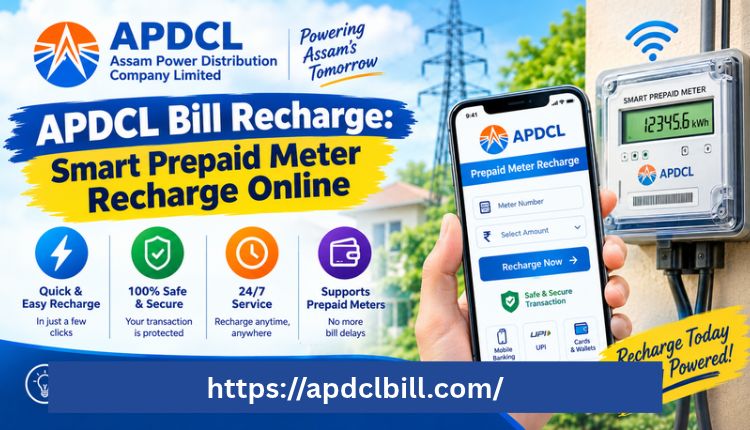
The official APDCL site has a dedicated prepaid meter recharge page. It asks for the consumer number, then shows your name, location and meter number so you can confirm you have the right account.
- Open the official prepaid recharge page.
- Enter your consumer number.
- Check that the name, location and meter number shown are yours.
- Type the recharge amount and confirm it a second time.
- Enter your mobile number, and an email if you want a receipt there.
- Click Pay Now and choose UPI, card or net banking.
- Finish the payment and save the transaction ID.
Don’t rush step 3. A wrong digit in the consumer number can send your money to someone else’s meter, and getting it reversed is a hassle.
Recharge Through the myBijulee App
APDCL’s official app, myBijulee, is available on Android and iOS. According to its store listing, prepaid and smart meter users can recharge from the app, and they can also check their prepaid balance and monthly statements.
To recharge from the app:
- Download myBijulee and sign up with your consumer number.
- Open the prepaid recharge option.
- Enter the amount.
- Pay by UPI, card or wallet.
- Check the updated balance once the payment goes through.
The app is handy if you recharge often, because it keeps your account saved. It also shows daily consumption for smart meter users, which helps you guess how many days your balance will last. One caution: the iOS listing rates it 2.3 out of 5, so expect occasional glitches. If the app acts up, the website is a fine backup, Visit more.
Compare the Ways to Recharge
| Method | Best For | Speed | Things to Watch |
| Official APDCL recharge page | One-off or occasional recharge | Instant payment, balance updates shortly | Double-check the consumer number |
| myBijulee app | Frequent recharge, usage tracking | Instant payment, balance updates shortly | App can be buggy on some phones |
| UPI apps (electricity section) | People who already use UPI daily | Fast | Pick the right biller name |
| APDCL office or collection centre | No smartphone or internet | Slower | Keep the receipt |
How Much Should You Recharge?
There’s no single right number. Some people add ₹500 every week, others put in ₹1,000 or more at the start of the month. What matters is that you never let it run close to zero.
A simple habit works well: check your balance every few days, and top up when it drops below what a typical two or three days of usage costs. Summer with fans and ACs running eats balance far faster than winter. If you’re unsure how much you actually use, the smart meter data in the app tells you.
Check Your Balance After Recharging
Once the payment goes through, confirm it landed:
- Look for the confirmation SMS on your registered mobile number.
- Open the myBijulee app and check your prepaid balance.
- Save your transaction ID or screenshot the receipt until the balance clearly updates.
The balance normally updates within a few minutes, though it can occasionally take longer. Also note that supply isn’t always restored the second the balance changes, so give it a little time before you panic.
What to Do If Your Recharge Fails or Doesn’t Show
This is the most common headache. Work through these in order:
| Problem | What to Try |
| Money deducted, balance unchanged | Wait a few hours, then check the app and SMS again |
| Still nothing after a full working day | Contact APDCL with your transaction ID and consumer number |
| Recharge went to the wrong consumer number | Report it to APDCL immediately with the payment receipt |
| Supply still off after balance updated | Wait a short while, then switch the main breaker off and on |
| Payment page keeps failing | Try a different method, like UPI instead of car |
For reaching support, use our contact page to find the right channels. Always keep the transaction ID handy, because it’s the first thing they will ask for.
Related APDCL Guides
If you handle more than one type of connection or need bill copies for records, these guides will help:
- Postpaid users can follow our Bill Payment APDCL guide to pay electricity dues.
- Want the full picture of checking, paying and downloading? See the APDCL Assam Bill overview.
- Need a copy for a loan or rental agreement? Try the APDCL bill download PDF tutorial.
- To look at past statements, see how to view your APDCL bill online.
Tips to Avoid Sudden Power Cuts
- Set a reminder to check your balance twice a week.
- Recharge before you travel, even if you’ll be away only a few days. Fridges and standby devices keep drawing power.
- Don’t wait for the last rupee. Restoration after a recharge isn’t always instant.
- Save every receipt until the balance shows correctly.
- Only use the official portal, the myBijulee app or trusted UPI billers. Random links from messages are not safe.
Frequently Asked Questions (FAQs)
What is APDCL bill recharge?
It means adding money to your prepaid or smart meter account so your electricity supply stays active. Postpaid consumers pay a bill instead of recharging.
How can I recharge my APDCL smart meter online?
Go to the official APDCL prepaid recharge page or use the myBijulee app, enter your consumer number, confirm your details, type the amount and pay by UPI, card or net banking.
Is there a minimum recharge amount?
This can change, so the payment screen is the best place to check. Some third-party sites quote a figure, but the official form is the one to trust.
How long does it take for the balance to update?
Usually a few minutes. If it takes longer, wait a few hours before contacting support.
My money was deducted but the meter balance did not change. What now?
Wait a few hours, then check the app and your SMS. If it’s still missing after one working day, contact APDCL with your transaction ID and consumer number.
Can I recharge someone else’s meter?
Yes, if you have their consumer number. Just make sure the name and meter number shown on the screen match before you pay.
Do I need the myBijulee app to recharge?
No. The website works without any app, though the app is useful for tracking daily usage and balance.
Can I recharge with cash?
Yes, at APDCL offices or authorised collection points. Keep the receipt.
Is a postpaid meter recharged the same way?
No. Postpaid meters get a monthly bill, which you pay through the bill payment page.
Conclusion
An APDCL bill recharge takes about two minutes once you know the routine: enter the consumer number, confirm the details, pay, and keep the transaction ID. The official website and the myBijulee app both work, so use whichever suits you and keep the other as a backup.
Recharge early, don’t let the balance touch zero, and save your receipts until the balance updates. For anything unusual, contact support with your payment details. You can also read our APDCL bill payment guide if you’re still on a postpaid connection.
About the Author



