
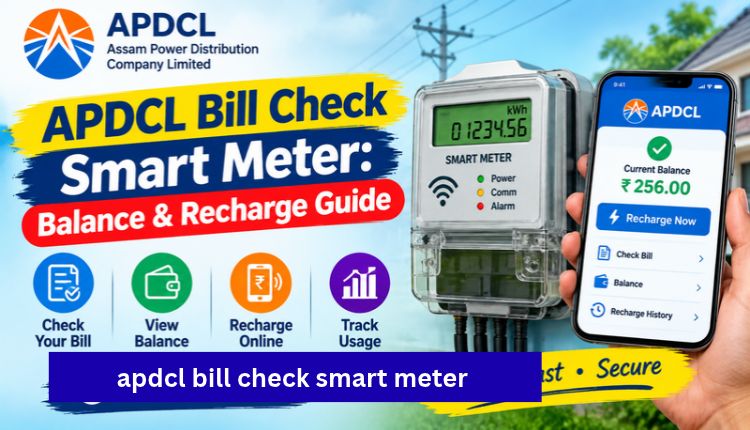
apdcl bill check smart meter
If you have a smart meter at home in Assam, your APDCL bill check smart meter routine looks a little different from the old monthly bill. There’s usually no paper bill to wait for. Instead, you keep an eye on a prepaid balance, top it up when it runs low, and glance at your usage now and then. It’s simple once you know where to look.
This guide covers the ways to check your smart meter balance and bill, how to recharge, and what to do when something looks off. It’s written for regular households, not engineers.
Prepaid vs Postpaid: Which One Are You On?
Before anything else, work out what kind of connection you have. Check the top of your last bill or the label on your meter. It will say prepaid or postpaid.
- Prepaid smart meter: you pay in advance and the meter deducts your usage from the balance. You check a balance, not a bill.
- Postpaid connection: you get a monthly bill and pay after use. You check the bill with your consumer number.
If you’re on postpaid, skip ahead to the APDCL bill check page and enter your consumer account number. Everything below is mainly for prepaid smart meter users.
Quick Overview: Ways to Check Your Smart Meter Details
| What You Want | Best Option | What You Need |
| Current prepaid balance | myBijulee app or the APDCL balance check page | Consumer number or meter number |
| Monthly statement | myBijulee app | Registered consumer account |
| Postpaid bill amount | APDCL bill check | Consumer account number |
| Recharge the meter | App, website, UPI, net banking | Consumer or meter number |
| Complaint or wrong reading | APDCL customer care | Consumer number, meter number |
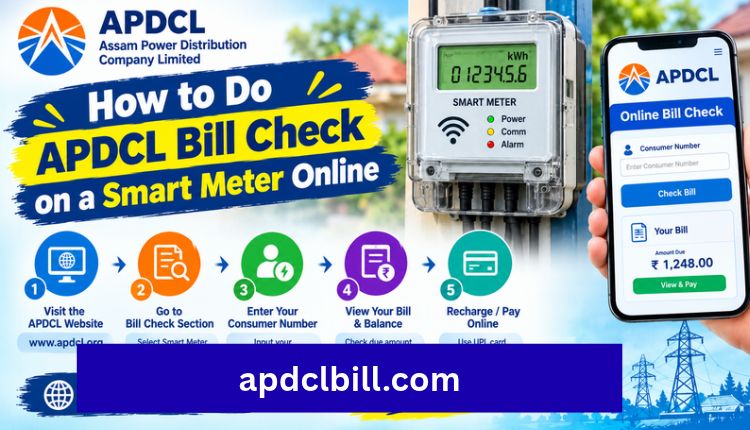
How to Do APDCL Bill Check on a Smart Meter Online
Here’s the straightforward way to do it from your phone or laptop.
- Open the official APDCL portal or the myBijulee app.
- Choose the smart prepaid balance option (or the bill view option if you’re postpaid).
- Enter your consumer number or meter number.
- Verify the details on screen.
- Read your balance, or your bill amount and due date.
Consumer numbers can be confusing. Newer bills show an 11-digit number, while some official APDCL pages still ask for a 12-digit account number. If your number gets rejected, look at a recent bill and copy it exactly, with no spaces.
For postpaid users who just want to see the bill without any fuss, the view bill option is the quickest route.
Using the myBijulee App
myBijulee is APDCL’s own mobile app for Android and iOS. According to its App Store listing, smart prepaid meter users can recharge, check their prepaid balance and see monthly statements from the same screen. Postpaid users can view bills, download them as PDF and see payment history, Visit more.
I’d recommend installing it even if you mostly use the website. Signing in once with your consumer number saves you from typing it every time, and the payment history is handy when you need proof of a recharge.
How to Recharge Your APDCL Smart Meter
Recharging works a lot like topping up a phone.
- Open the recharge section on the APDCL website or myBijulee.
- Enter your consumer number or smart meter ID.
- Check the name and details shown.
- Enter the recharge amount.
- Pay by UPI, card or net banking.
- Wait a few minutes and confirm the balance has updated.
Payments usually go through quickly, but the balance on your meter can take a short while to refresh. If you paid and the meter still shows nothing, don’t recharge again straight away. Wait a bit, then check the balance page. The payment steps are the same as a normal bill payment, and our APDCL bill payment guide walks through each payment method.
Try to recharge before the balance hits zero. Prepaid smart meters generally cut supply when the balance runs out, and getting power back isn’t always instant. Nobody wants to be recharging in the dark during a storm.
Prepaid Smart Meter vs Postpaid Bill
| Feature | Prepaid Smart Meter | Postpaid Bill |
| When you pay | Before using electricity | After using electricity |
| What you check | Balance and usage | Bill amount and due date |
| Late fee risk | None, supply stops at zero balance | Possible surcharge after due date |
| Main tool | Balance check, recharge page | Bill check page |
| Receipt | Recharge confirmation | Payment receipt and bill PDF |
| Best for | People who like to control spending | People who prefer one monthly payment |
Downloading Your Bill or Recharge Record
Even on a smart meter, you may need paperwork for a rental agreement, bank loan or address proof. Postpaid consumers can save the bill as a PDF, and the steps are laid out in our APDCL bill download PDF guide. For prepaid users, keep the recharge confirmation or monthly statement from the app.
A small habit that helps: screenshot every recharge receipt. Disputes are rare, but when they happen, that one image settles things fast.
Common Smart Meter Problems and Quick Fixes
- Balance not updating after recharge: wait a few minutes, refresh the balance page, and keep your transaction ID handy.
- Consumer number not accepted: try the 11-digit and 12-digit versions, and copy it directly from a bill.
- Balance falls faster than expected: check what appliances ran recently. Geysers, ACs and irons eat balance quickly. Also compare the reading shown in the app with your meter display.
- Supply cut even though you recharged: confirm the payment went through and contact customer care with the transaction reference.
If none of that works, the APDCL Assam bill guide covers the wider set of billing issues and where to escalate them. You can also reach APDCL support on their toll-free helpline, 1912, or cross-check details on the official APDCL website.
Tips to Keep Your Smart Meter Balance Under Control
- Keep a minimum buffer in the meter, especially before weekends and festivals.
- Recharge in smaller amounts more often if that helps you watch spending.
- Note your reading occasionally so you can spot unusual jumps.
- Save your consumer number in your phone so you never hunt for it.
- Only use the official portal or myBijulee for payments. Random links and unknown apps are not worth the risk.
For a broader look at paying electricity dues, see the bill payment APDCL guide and the step-by-step page on how to pay your APDCL bill. If you have a question that isn’t answered here, you can contact us.
Frequently Asked Questions
How do I do an APDCL bill check for a smart meter?
Enter your consumer number or meter number on the APDCL balance check page or in the myBijulee app. Prepaid users see their balance, and postpaid users see the bill amount and due date.
Is there a monthly bill for a prepaid smart meter?
Not in the traditional sense. You pay in advance and the meter deducts usage from your balance. You can view monthly statements in the myBijulee app.
Can I check my smart meter balance without logging in?
Some balance check pages let you look up the balance with just a consumer number. Availability can change, so check the current APDCL page.
How long does a smart meter recharge take to show?
Usually a few minutes. If the balance doesn’t update after that, wait a little longer before retrying and keep your transaction reference.
What happens when my prepaid balance reaches zero?
The smart meter normally cuts the supply. Recharge as soon as possible and confirm the balance before expecting power to return.
Can I pay my smart meter recharge by UPI?
Yes. UPI, debit cards, credit cards and net banking are commonly available on the official payment pages.
Which number should I use, 11-digit or 12-digit?
Use whatever is printed on your latest bill or meter details. APDCL pages have shown both formats, so copy the number exactly as written.
Is myBijulee the official APDCL app?
Yes. It is published by Assam Power Distribution Company Limited and is listed on the App Store and Google Play.
Conclusion
An APDCL bill check on a smart meter mostly comes down to three things: know whether you’re prepaid or postpaid, use the official portal or myBijulee to check your balance, and recharge before it runs out. Keep your consumer number and recharge receipts handy, and most problems sort themselves out in a few minutes.
If you’re on a postpaid connection, start with the APDCL bill check page. For everything else, the APDCL Bill homepage links to every guide in one place.
About the Author




