
apdcl prepaid bill check
If you’re on a prepaid smart meter with Assam Power Distribution Company Limited (APDCL), you already know the drill: no balance, no power. Unlike a regular postpaid connection where the bill shows up at the end of the month, a prepaid meter runs on whatever you’ve loaded into it, and it can run out at the worst possible time. Checking your APDCL prepaid bill and balance regularly is the only way to avoid a sudden disconnection.
This guide covers every way to do that, on the website, through the myBijulee app, and by SMS, plus what to do when the numbers don’t add up.
What Does “APDCL Prepaid Bill Check” Actually Mean?
APDCL rolled out smart prepaid meters across Assam starting in 2023, converting most low-tension postpaid connections over in phases. With a prepaid meter, you load money onto the account in advance, and the system deducts charges as you consume electricity, similar to topping up a mobile phone. “Checking your bill” here really means checking two things: your remaining balance (so you know when to recharge) and your consumption history (so you can see what you’ve been charged for and why).
Both are available online, and neither requires a visit to an APDCL office.
Step-by-Step: Checking Your APDCL Prepaid Bill Online
- Go to the official APDCL website at apdcl.org.
- Select “Pay & Recharge” from the menu, then click “View My Electricity Bill.”
- Enter your consumer number (found on any past bill or your prepaid meter card) along with the captcha shown on screen.
- Click “Verify” to pull up your account.
- Your current balance, recent consumption, and bill details will show on the next screen. From here you can also open “Payment History” to see past recharges and download receipts.
If your consumer number isn’t handy, APDCL’s customer care line can help you retrieve it, since it’s tied to your registered mobile number and connection address.
Checking Your Balance Through the myBijulee App
APDCL’s own app, myBijulee, is arguably the faster route if you’re checking often. After signing up with your consumer number, you get:
- Real-time prepaid balance and consumption data
- Bill viewing and PDF downloads
- Recharge options for prepaid and smart meters
- Payment history and account details
- A way to file complaints without calling in
The app pulls from the same backend as the website, so the numbers will always match. It’s just quicker on a phone, which matters if you’re checking your balance out of habit rather than doing a full billing review.
Comparing Your Options
| Method | Best For | What You’ll Need | Speed |
| APDCL website (apdcl.org) | Full bill details, downloading receipts | Consumer number, captcha | 2–3 minutes |
| myBijulee app | Quick balance checks on the go | Consumer number, registered mobile | Under a minute |
| Customer care (1912) | Lost consumer number, disputed readings | Registered mobile or connection address | Depends on call volume |
| SMS/email alerts | Passive balance monitoring | Registered mobile/email with APDCL | Instant, once set up |
If you only remember one thing from this table, make it this: set up SMS or email balance alerts once, and you’ll rarely need to actively “check” anything again.
Why Your Prepaid Balance Might Look Wrong
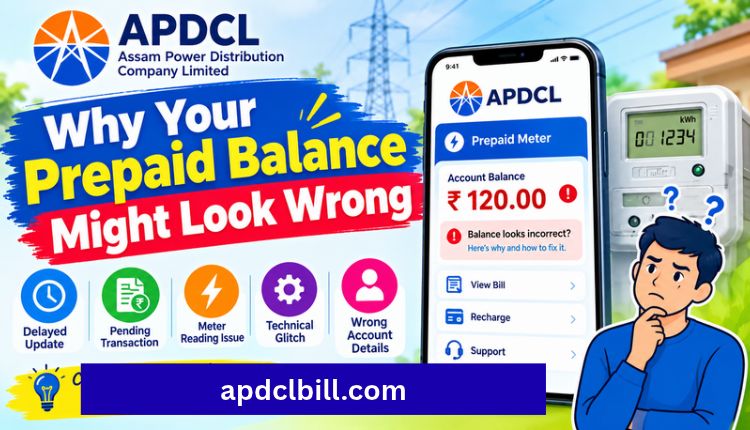
A few things trip people up here, and most have simple explanations:
The balance dropped faster than expected: Slab-based tariffs mean your per-unit rate can rise once you cross certain consumption thresholds within a billing cycle. Higher usage in hot months (air conditioners, coolers) often triggers this without anyone noticing until the balance disappears.
A recharge isn’t reflecting: Payment gateways can take a few minutes to sync with APDCL’s system. If it’s been over 30 minutes and the balance still hasn’t updated, check your payment history first before assuming the money is lost.
The meter shows a different figure than the website: Smart meters display real-time balance on the unit itself, which can be slightly ahead of or behind the web portal depending on when the last sync happened. Trust the meter for the immediate figure, and the website for the recorded transaction history.
If none of these explain it, that’s when a call to APDCL’s helpline is worth the wait.
Recharging Your Prepaid Meter
Once you know your balance is low, recharging takes the same route as checking it:
- Open apdcl.org or myBijulee and go to “Pay & Recharge.”
- Enter your consumer number.
- Choose your recharge amount and pay via UPI, debit/credit card, or net banking.
- The balance updates on your meter within a few minutes of a successful payment.
Keep the payment receipt or transaction ID until the balance reflects, just in case you need to raise a query.
APDCL Customer Care Contacts
| Service | Contact | Availability |
| Toll-Free Helpline | 1912 | 24×7 |
| Alternate Helpline | 022-35296117 | 24×7 |
| Email Support | feedback.apdcl@gmail.com | Business hours |
| Official Website | apdcl.org | Always accessible |
If You’re Managing a Connection in North Bihar Instead
APDCL only covers Assam. If your household or business runs on a NBPDCL connection in North Bihar, the process looks broadly similar but runs through a different portal entirely. Our NBPDCL bill check guide covers the equivalent steps for that utility, and the NBPDCL bill payment page walks through the payment options available there.
If you need to pull up older bills, the NBPDCL bill history page shows how, and you can grab a copy through the NBPDCL bill download or PDF download guides. For anything that needs a real person, the NBPDCL customer care number page has the full contact list.
FAQs
How do I check my APDCL prepaid bill without visiting an office?
Go to apdcl.org, select “View My Electricity Bill” under Pay & Recharge, and enter your consumer number and captcha. Your current balance and bill details load immediately.
Can I check my APDCL prepaid balance without the app?
Yes. The website gives you the same balance and consumption data as myBijulee. The app is just a faster shortcut if you’re checking from your phone regularly.
What if I don’t know my consumer number?
It’s printed on any previous bill or on your prepaid meter card. If you can’t locate either, call APDCL’s helpline at 1912 with your registered mobile number or connection address.
Why did my prepaid balance drop so quickly this month?
Usually higher consumption crossing into a higher tariff slab, though a delayed recharge sync or a meter reading discrepancy can also cause it. Check your consumption history on the portal before assuming there’s an error, Visit more.
How long does a recharge take to reflect on the meter?
Typically a few minutes. If it takes longer than 30 minutes, check your payment history on the website or app before contacting customer care.
Is there a way to get alerts before my balance runs out?
Yes, APDCL supports SMS and email alerts tied to your registered contact details, which is the easiest way to avoid an unexpected disconnection.
Final Thoughts
A prepaid meter puts the responsibility of tracking usage on you, which sounds like a hassle until you realize how little effort it actually takes once you know where to look. Check the balance on apdcl.org or myBijulee, keep your consumer number saved somewhere you won’t lose it, and set up balance alerts so a low reading doesn’t turn into a blackout. That’s really the whole system.
About the Author




