

apdcl bill check by mobile number
Most people searching for an APDCL bill check by mobile number just want one thing: see how much they owe without digging out an old paper bill. Fair enough. Nobody remembers an 11-digit consumer number.
Here is the honest version. Your mobile number does play a role, but it works mainly as a login and verification tool, not as a universal search box. This guide explains where your number helps, where you still need your consumer number, and how to get your bill on screen in a couple of minutes.
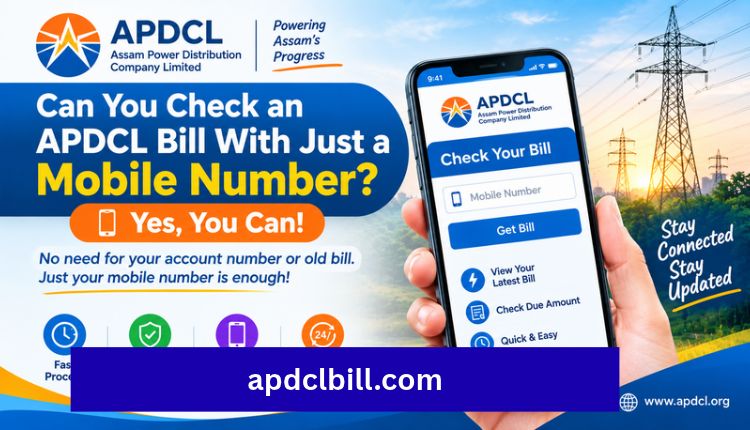
Can You Check an APDCL Bill With Just a Mobile Number?
Partly. APDCL’s own app, myBijulee, asks you to sign up with your consumer number. Once your account is set up, the app lets you view current and previous bills and download them as PDF. Users also report that the newer app version only lets you log in with the registered mobile number.
So the practical picture looks like this:
- Registered mobile number: used to sign in to myBijulee and receive SMS or OTP messages.
- Consumer number: still the key for a one-time lookup on a website, as on the APDCL bill check page.
If your number isn’t registered against the connection, you can’t log in with it. That single point causes most of the “it’s not working” complaints.
Quick Reference: Your Options
| Method | What You Need | Best For |
| myBijulee app | Registered mobile number (after signing up with consumer number) | Regular users who want bills, history and payments in one place |
| Web bill lookup | 11-digit consumer number | One-time check without logging in |
| SMS alerts | Registered mobile number | Getting bill notifications on your phone |
| APDCL subdivision office | Mobile update form and consumer number | Changing or registering your mobile number |
Step-by-Step: Check Your APDCL Bill Using Your Mobile
- Download the myBijulee app on Android or iOS.
- Sign up using your consumer number if you haven’t already.
- Log in with your registered mobile number and the OTP you receive.
- Open the bill view section to see your current bill, due date and units used.
- Tap download if you need a PDF copy.
Prefer not to install anything? Use the browser instead. Open the APDCL view bill check page, type in your consumer number, and your latest bill loads on screen. No login needed, Visit more.
For a broader walkthrough of the same process, our APDCL Assam bill guide covers the full check, pay and download flow.
Where to Find Your Consumer Number
Look at any past bill. The number is printed near the top, close to your name and connection category. Most accounts use 11 digits now, though some older accounts still carry a 12-digit version. If one format fails, try the other before assuming something is wrong.
Keep a photo of your latest bill on your phone. It costs nothing and saves you this hunt every month.
How to Pay After Checking Your Bill
Once your bill shows up, you can pay right away. The APDCL bill payment page supports UPI, debit and credit cards, net banking and wallets. If you want a fuller breakdown, read our guide on paying your Assam electricity bill or the shorter APDCL bill pay walkthrough.
Don’t panic if the payment doesn’t reflect immediately. Bank confirmation and APDCL’s system sometimes sync a little late. Wait until the next working day before you try again, so you don’t pay twice.
How to Download Your Bill as a PDF
A saved copy helps with address proof, rent agreements and disputes. You have two easy routes:
- Use the download option inside myBijulee after logging in.
- Follow our APDCL bill download PDF guide for the website method.
You can also read the general APDCL bill download page or the APDCL bill view page if you only want to look at the bill without saving it.
What If Your Mobile Number Isn’t Registered?
This is the most common snag. You have a few ways out:
- Update it in the app or portal: The myBijulee app lets consumers view and update their mobile numbers, and APDCL’s registration page says you can log in to update it or download the mobile number update form and submit it at your subdivision.
- Visit your local subdivision office with a recent bill and ID.
- Use the consumer number instead: You can still check and pay without any login through the website.
One more tip from user reviews: if a family member’s number is the registered one, you may need their OTP to log in. Sort this out once and it stops being a monthly headache.
Common Problems and Quick Fixes
| Problem | Likely Cause | Fix |
| OTP not arriving | Number not registered or network delay | Check registration, wait a minute, retry |
| Bill not loading | Wrong consumer number format | Try the 11-digit or older 12-digit version |
| Payment done but bill unpaid | Sync delay | Wait one working day, keep your receipt |
| Amount looks too high | Higher usage, meter reading gap, extra charges | Compare with the previous month’s units |
| Can’t log in on a new phone | Login tied to registered number | Use the number on record or update it |
For anything that stays unsolved, APDCL lists a toll free complaint number, 1912. You can also reach us through the contact page if you’re stuck with a guide on this site.
Tips to Avoid Trouble Every Month
- Register your own mobile number, not only a relative’s.
- Save your consumer number in your phone notes.
- Pay a few days before the due date to dodge late surcharges.
- Keep at least three months of bill PDFs.
- Always double-check tariff details on APDCL’s official site, since rates can change.
Frequently Asked Questions
Can I check my APDCL bill by mobile number without the app?
Not directly. The web lookup uses your consumer number. Your mobile number matters when you log in to the app or receive OTPs.
Which mobile number works for APDCL login?
The number registered against your connection. If it isn’t registered, update it through the portal, the app or your subdivision office first.
How do I find my consumer number if I lost my bill?
Check an old paper bill, a PDF copy, or an SMS from APDCL. Failing that, ask your subdivision office.
Is checking my bill online free?
Yes. Viewing your bill doesn’t cost anything. Some card payments may carry a small convenience fee.
Can I download my bill from my phone?
Yes. The app supports PDF download, and the download guide shows the browser method.
What if my bill amount looks wrong?
Compare the units with last month, check the meter readings printed on the bill, and contact APDCL support with your consumer number.
Is it safe to pay through a mobile phone?
It’s generally safe when you use the official app or trusted payment gateways. Avoid links sent by strangers.
Conclusion
An APDCL bill check by mobile number is really a two-part job. Your registered number gets you into the app and delivers OTPs, while your consumer number unlocks the bill itself on the website. Once both are in order, checking, paying and downloading takes only a few minutes.
If you haven’t yet, register or update your number today. Then start with the APDCL bill check page, and move on to payment when you’re ready.
About the Author



